Copy-paste HTML, WordPress, and LMS-friendly snippets to publish clean download buttons that skip previews and go straight to the file.
Why buttons beat plain links
Buttons are easier to tap on mobile, harder to miss, and look trustworthy. When paired with direct links, they make downloads feel intentional and fast - no preview pages, no extra clicks.
Use clear labels and a platform badge so users know what to expect.
Get the direct link first
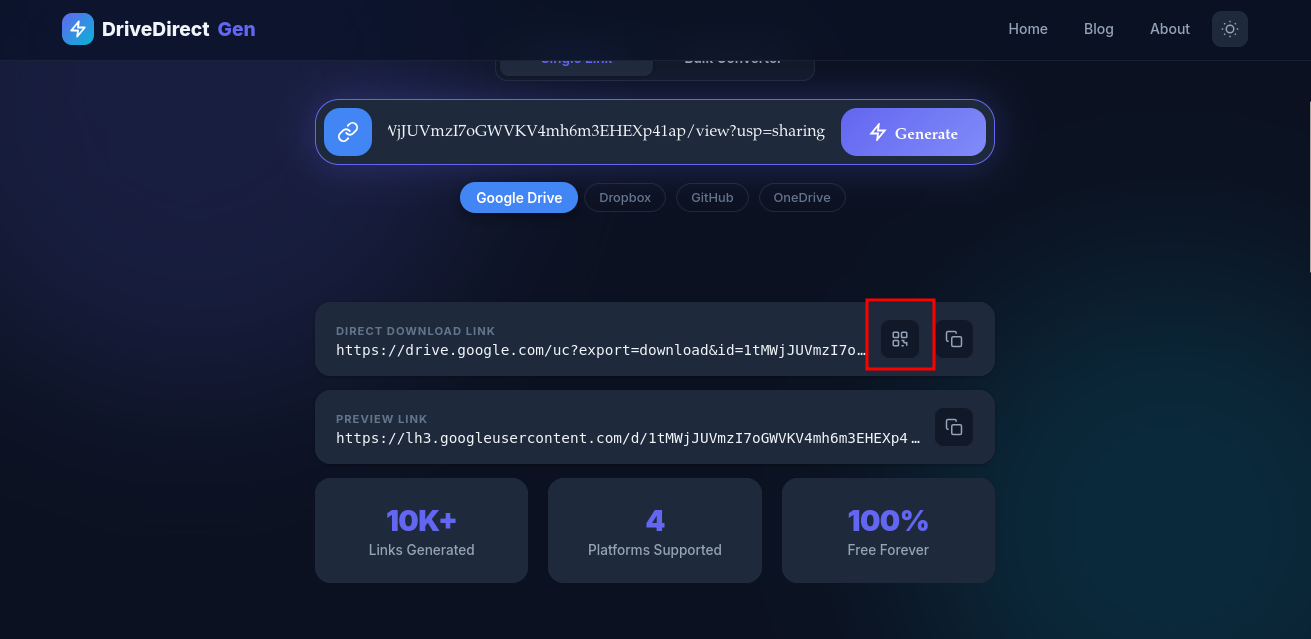
Before embedding, convert your share link using the direct link generator. This works for Google Drive link, Dropbox link, GitHub raw, and OneDrive. Copy the direct download URL - you'll paste it into the snippets below.
Copy-paste HTML snippet
Drop this into any site builder that lets you add HTML.
<a href="YOUR_DIRECT_LINK" download class="dd-btn">
  <span class="dd-label">Download PDF</span>
  <span class="dd-note">Direct, no preview</span>
</a>
<style>
.dd-btn{display:inline-flex;flex-direction:column;gap:4px;padding:14px 18px;border-radius:12px;background:#4f46e5;color:#fff;font-weight:700;text-decoration:none;box-shadow:0 10px 30px rgba(79,70,229,.25);transition:.2s ease}
.dd-btn:hover{transform:translateY(-1px);box-shadow:0 14px 36px rgba(79,70,229,.3)}
.dd-label{font-size:1rem}
.dd-note{font-size:.8rem;opacity:.9}
</style>
Change the label and colors to match your brand.
WordPress block approach
- In the Block Editor, insert a Buttons block.
- Paste your direct link in the URL field and toggle Open in new tab if desired.
- Add a short note below the button: “Direct download, no preview.”
- Style with your brand color. For multi-links, add a two-column layout with Primary or Mirror.
LMS-friendly embed tips
- Canvas: Use the Rich Content Editor, click </>, paste the HTML snippet, and save.
- Google Classroom: Post the direct link with a call-to-action sentence; Classroom strips custom CSS but the link still works.
- Moodle: Insert an HTML block or use the Atto HTML source button; test in student view.
Add platform badges
Let people know where the file lives. You can add a small badge inside the button.
<span style="font-size:.75rem;opacity:.85">Google Drive</span>
Place it below the main label. If you provide mirrors, add two buttons stacked: Drive (primary) and Dropbox (mirror).
Make it clear and trustworthy
- Use verbs: “Download ZIP” beats “Click here.”
- Mention file type and size: “PDF - 2.1 MB” sets expectations.
- If you update files, add a version: “v1.3, updated March 2026.”
- Keep contrast high for accessibility; dark text on light backgrounds or vice versa.
Troubleshooting
- If the button opens a preview, double-check you used the converted direct link, not the original share URL.
- If downloads are blocked, ensure file permissions are “Anyone with the link.”
- If your theme strips inline CSS, move styles to your site stylesheet and keep only the anchor markup.
Button copy that gets more clicks
The best download buttons tell the user three things immediately: what the file is, what happens after the click, and whether the result is direct. “Download pricing sheet PDF” is stronger than “Open file.” “Get starter kit ZIP - direct download” is stronger than a vague label with no context.
This is where the direct link and the copy work together. A strong button label raises confidence, while the direct URL removes the awkward second step. If the file comes from a Google Drive link or Dropbox link, the user does not need to know the technical details. They just need a clear promise that the file will download.
Primary and mirror button patterns
When a file is important, consider using two buttons: one primary download and one mirror download. This works especially well for events, classrooms, launch pages, and help centers where traffic spikes are possible. The first button can point to the main file host, and the second can point to a backup host created with the same generator workflow.
If you have many assets, generate all links first with the bulk converter, then build your button list. This keeps the page assembly step separate from the link-generation step, which is easier to maintain later.
Where these buttons work best
Download buttons are especially useful on resource pages, LMS modules, onboarding hubs, release notes, and event landing pages. In all of those places, the user arrives with a simple intent: get the file quickly. That is why pairing the UI element with a direct link matters so much.
If you expect traffic spikes, use a mirror-button layout from day one. It is easier to hide or rename a second button later than to redesign the page in the middle of a busy launch.
Takeaway
Direct download buttons make your resources feel polished and fast. Convert the link with DriveDirect Gen, paste one of these snippets, and ship a clean experience on your website, WordPress, or LMS.
Related guides
- Create direct links for images and PDFs to pair with these buttons.
- Share downloads in Classroom, Canvas, or Moodle without extra clicks.
- Add QR code workflows for your buttons so people can scan and download on phones.
- Convert many links at once before embedding multiple download CTAs.